One connected platform for your business. Discover LaraOffice ERP →
Finance & Accounting

Financial clarity starts with connected data.

Connect financial transactions with the business activities that create them. LaraOffice Finance & Accounting is designed to bring ledger control, payables, receivables, reconciliation and reporting into a more connected operational workflow.

✓ Designed around traceable transactions, controlled approvals and reconciled records.
Finance overview
Management dashboard · Example layout
This period⌄
ReceivablesRs. 8.42M↑ 8.4% vs prior period
PayablesRs. 3.16MDue-date visibility
Cash positionRs. 5.78MBank and cash view
Pending approvals12Review required
Income & expenses Illustrative
Recent finance activity Sample
Customer invoiceAwaiting receipt
Supplier billApproval queue
Bank reconciliationIn progress
Illustrative interface and figures — not live customer financial data.
⌁ Connected transaction flows
✓ Approval-aware controls
▤ Traceable ledger records
◷ Timely financial visibility
See it in LaraOffice

Journal entries with drafts and approvals

Record journals with branch-level lines, save drafts, submit for approval and post to the ledger.
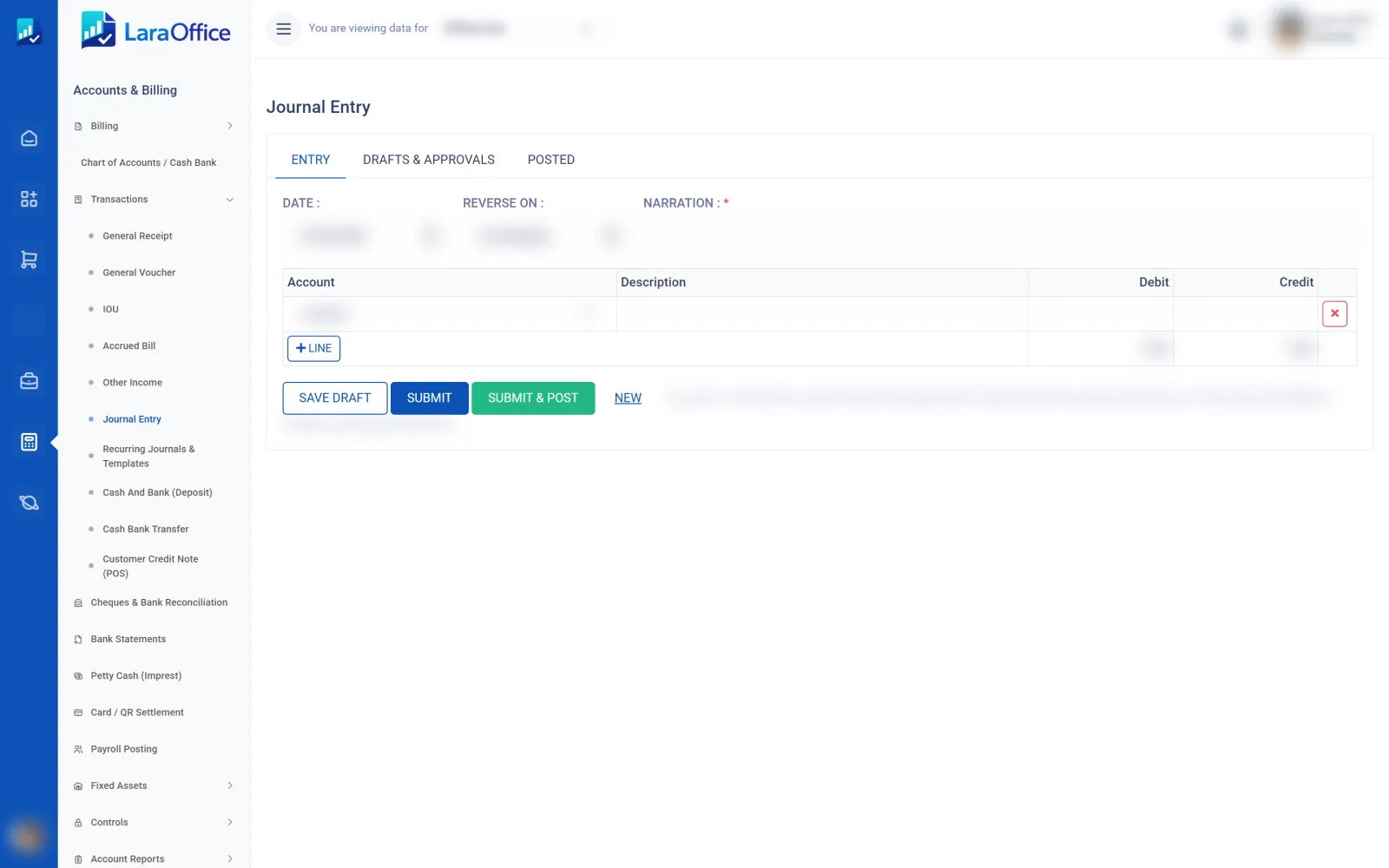
LaraOffice journal entry screen with draft, submit and post actions
Real LaraOffice screen. Customer and employee data is blurred for privacy.
Core capabilities

Bring everyday accounting into one connected workflow

Keep finance connected to sales, purchasing, inventory and operations, while maintaining clear transaction references and review points. Exact functionality depends on the modules configured for your deployment.

▦

General ledger

Organise accounting entries through a chart of accounts, journal workflows and period-based financial records.

  • Journal entry and review workflow
  • Account and period reporting
  • Traceable source references
↗

Accounts receivable

Follow customer billing and incoming payments with visibility into balances and outstanding items.

  • Customer invoices and credit notes
  • Receipts and allocation
  • Aging and outstanding balances
↙

Accounts payable

Track supplier obligations and payment status while supporting review before financial commitments are finalised.

  • Supplier bills and debit/credit notes
  • Due-date and aging views
  • Payment preparation and approval
⇄

Bank & cash reconciliation

Compare recorded cash movements with bank statements and identify unmatched items for follow-up.

  • Statement matching workflow
  • Unmatched transaction review
  • Cash and bank account visibility
▤

Financial reporting

Give authorised teams a structured view of financial performance, balances and period-end position.

  • Profit and loss statement
  • Balance sheet and trial balance
  • Cash-flow reporting where configured
⚙

Budgets & cost control

Support planning and expenditure oversight with budget structures and review workflows where enabled.

  • Budget versus actual analysis
  • Department or cost-centre views
  • Exception review and approval paths
Connected by design

Financial entries should follow the business event.

Reduce isolated records by connecting source transactions to the accounting process. Each integration should be configured with appropriate posting rules, permissions and reconciliation checks.

✓Sales to finance: invoices, receipts, credit notes and customer balances.
✓Purchasing to finance: supplier bills, liabilities, payment workflows and receipt matching.
✓Inventory to finance: valuation movements and cost postings according to the approved costing policy.
✓Payroll to finance: payroll journals and related liabilities when the relevant integration is enabled.
01 / SOURCE

Capture the business transaction

Start from an approved invoice, supplier bill, receipt, inventory movement or other configured source.

02 / REVIEW

Validate and approve

Apply role permissions, posting rules and review steps before entries are finalised.

03 / POST

Update accounting records

Post to the relevant accounts with references that support tracing back to the originating activity.

04 / RECONCILE

Review and report

Reconcile balances, investigate exceptions and prepare period-based financial reports.

Governance & visibility

Make financial records easier to review

Reliable reporting depends on disciplined source data, clear permissions and consistent reconciliation—not just a dashboard.

Controls that support accountability

Define who can create, review, approve and post financial transactions, based on the organisation’s control policy.

✓ Role-based access and separation of duties where configured
✓ Approval steps for selected journals, bills and adjustments
✓ Transaction references and reviewable history
✓ Period-close checks and exception follow-up

Reports for day-to-day decisions

Give finance teams and managers a clearer view of what is owed, what is due and how accounts are performing.

✓ General ledger and trial balance
✓ Customer and supplier aging
✓ Profit and loss and balance sheet
✓ Bank reconciliation and budget reports where enabled
Across your organisation

Finance is strongest when the modules work together

Use connected workflows to reduce duplicate entry and help teams reconcile operational activity with financial outcomes.

Sales & CRMCustomer billing, receipts, credit notes and receivable balances.
ProcurementSupplier obligations, invoice matching and payment preparation.
Inventory & WarehouseStock valuation and cost movements using configured posting rules.
HR & PayrollPayroll-related journals and liabilities where the integration is enabled.
Frequently asked questions

Finance & Accounting FAQs

Understand the intended scope and what should be confirmed for your deployment.

It organises financial transactions, accounting records, receivables, payables, reconciliations and reporting, while linking those records to relevant business processes.
The intended workflow connects supplier bills and inventory valuation movements with finance. Posting rules, costing methods and reconciliation behaviour should be confirmed for the modules enabled in your deployment.
Bank and cash reconciliation is included in the page's capability scope. Confirm statement import formats, matching rules and bank connectivity requirements during implementation planning.
Reporting requirements depend on the country, accounting policy and configured tax rules. Confirm the required local statutory reports and current compliance scope before relying on the system for filing.
No. All figures and dashboard activity shown on this page are illustrative design examples, not live customer data or a claim about current system performance.

See how finance can connect with your operations.

Discuss your accounting structure, approval requirements, reporting needs and integrations with the LaraOffice team.